CSI CephRBD
Описание
Модуль обеспечивает доступ к блочному устройству, предоставляемым системой хранения Ceph.
По окончанию установки. Вы получите дополнительный StorageClass.
Используйте объект PersistentVolumeClaim с указанием StorageClass
Подготовка Ceph
Подготовка CephRBD
Создайте новый пул:
ceph osd pool create CEPH_POOL
Включить rbd для пула:
ceph osd pool application enable CEPH_POOL rbd
Создание пользователя
Создать пользователя и выдать права в пул:
ceph auth get-or-create client.CEPH_USER_ID mon 'profile rbd' osd 'profile rbd pool=CEPH_POOL'
Получить ключ для авторизации CEPH_USER_KEY:
ceph auth get-key client.CEPH_USER_ID
Данные для подключения
Получить кластер ID CEPH_CLUSTER_ID:
ceph status | grep id
ceph mon stat
Подключение модуля
Внимание!
В случае если Ceph CSI RBD является единственным модулем хранилища данных, добавьте аннотацию:
storage_class:
  annotations:
    storageclass.kubernetes.io/is-default-class: "true"
Описание Yaml
apiVersion: addon.bootsman.tech/v1alpha1
kind: Config
metadata:
  name: CLUSTER_NAME-ceph-csi-rbd
  namespace: CLUSTER_NAMESPACE
spec:
  enabled: true
  values:
    csiConfig:
      - clusterID: CEPH_CLUSTER_ID (2)
        monitors:
          - CEPH_MONITOR (11)
    nodeplugin:
      plugin:
        image:
          repository: harbor.bootsman.host/bootsman-nimbus/common-artifacts/cephcsi
          tag: v3.13.0
      registrar:
        image:
          repository: >-
            harbor.bootsman.host/bootsman-nimbus/common-artifacts/csi-node-driver-registrar
          tag: v2.11.1
    provisioner:
      attacher:
        image:
          repository: harbor.bootsman.host/bootsman-nimbus/common-artifacts/csi-attacher
          tag: v4.6.1
      provisioner:
        image:
          repository: >-
            harbor.bootsman.host/bootsman-nimbus/common-artifacts/csi-provisioner
          tag: v5.0.1
      resizer:
        image:
          repository: harbor.bootsman.host/bootsman-nimbus/common-artifacts/csi-resizer
          tag: v1.11.1
      snapshotter:
        image:
          repository: >-
            harbor.bootsman.host/bootsman-nimbus/common-artifacts/csi-snapshotter
          tag: v8.0.1
    secret:
      create: true
      userID: CEPH_USER_ID (13)
      userKey: CEPH_USER_KEY (14)
    storageClass:
      allowVolumeExpansion: true (8)
      clusterID: CEPH_CLUSTER_ID (2)
      create: true
      dataPool: CEPH_DATA_POOL (3)
      fstype: ext4 (6)
      imageFeatures: layering (5)
      mountOptions: (9)
        - discard
      name: CEPH_STORAGECLASS_NAME (1)
      pool: CEPH_POOL (4)
      reclaimPolicy: Delete (7)
- Имя нового StorageClass
- ID кластера Ceph.
- Опционально. Имя Erasure-coded пула. Подробнее
- Пул Ceph, котором будут размещаться данные.
- Поддерживаемые значения: layering, journaling, exclusive-lock, object-map, fast-diff, deep-flatten. Подробнее
- Тип файловой системы. Рекомендованное значение ext4.
- Политика восстановления PersistentVolume.
Описывает, что делать с PersistentVolume при удалении PersistentVolumeClaim:
1. Retain - сохранить
2. Delete - удалить. - Разрешать расширять PersistentVolume.
- Список опций, с которыми будет монтироваться PersistentVolume.
- ID кластера Ceph.
- Список эндпоинтов Ceph-кластера.
Пример:
monitors: - "v2:172.31.197.69:3300/0,v1:172.31.197.69:6789/0" - "v2:172.31.138.209:3300/0,v1:172.31.138.209:6789/0" - "v2:172.31.137.176:3300/0,v1:172.31.137.176:6789/0" - Имя секрета авторизации Ceph.
- ID пользователя авторизации.
- Пароль пользователя авторизации.
Настройка в UI
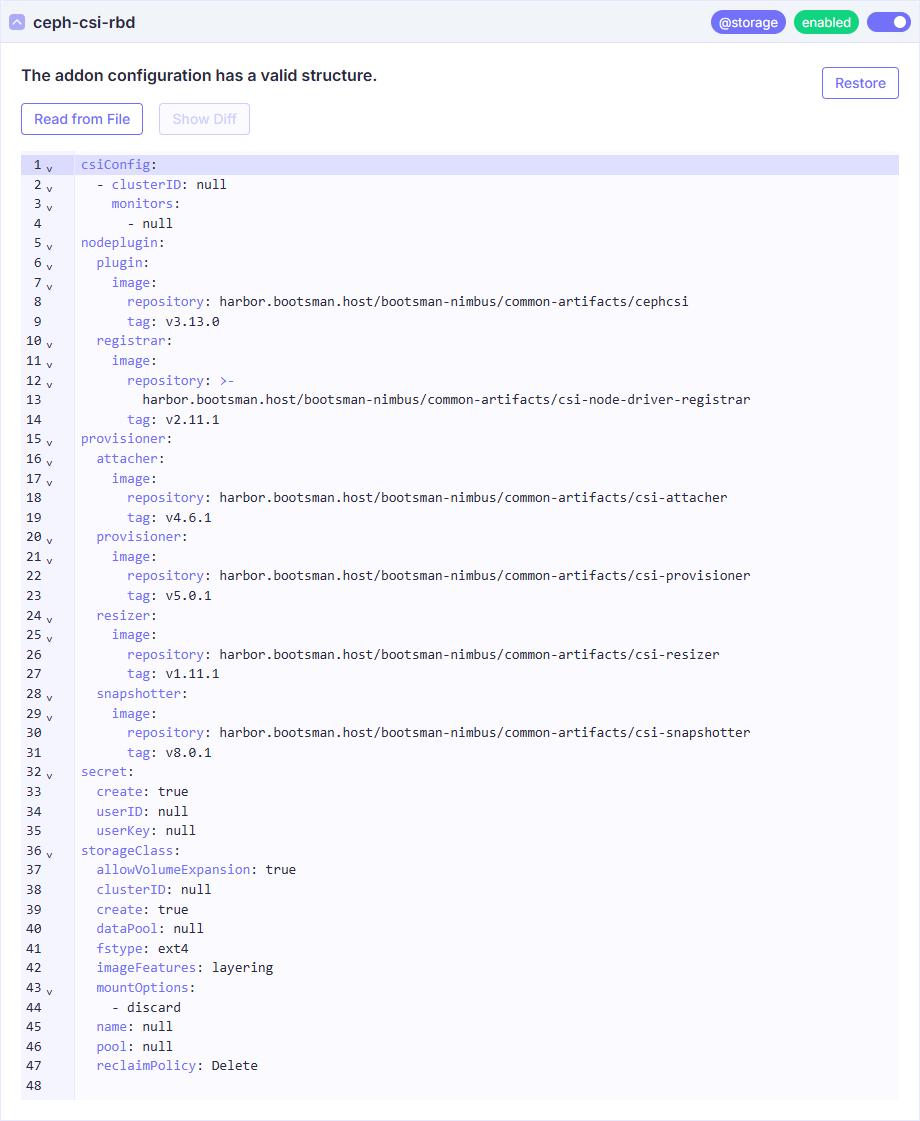
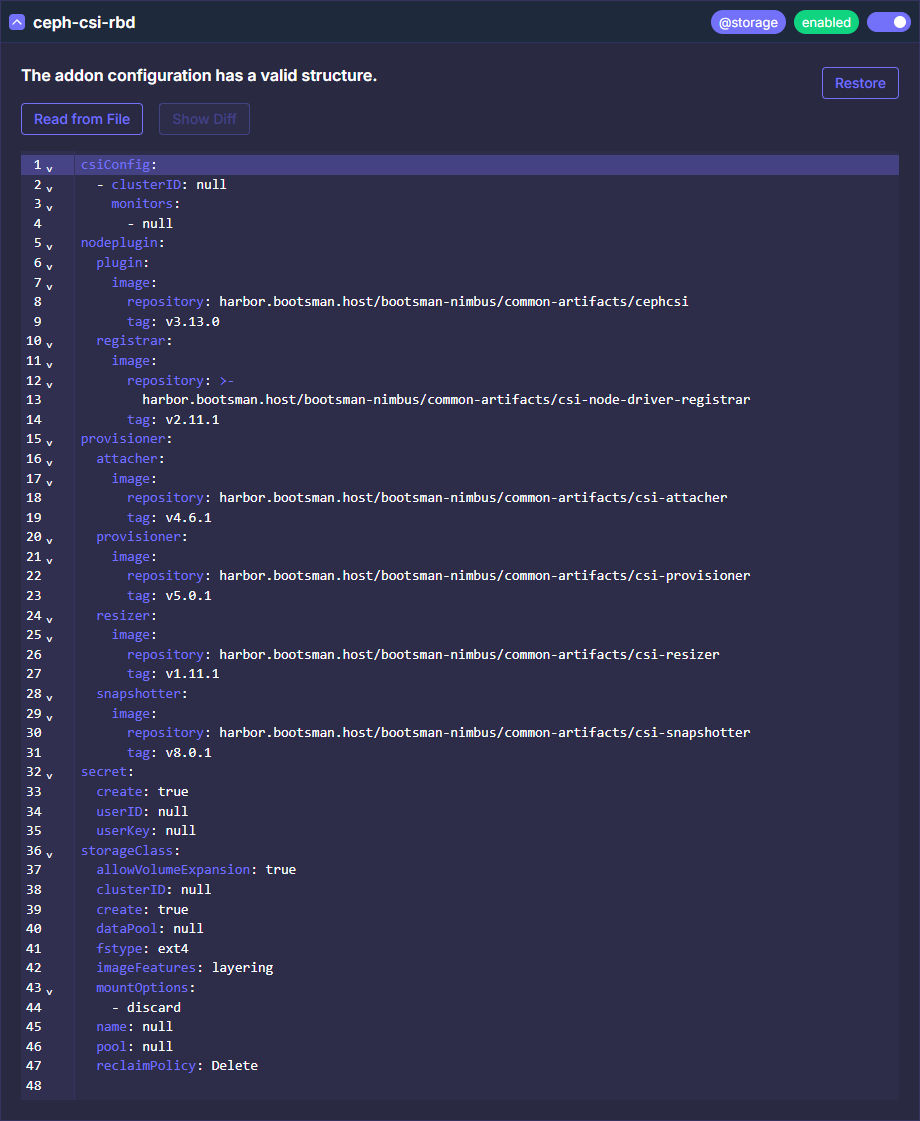
Все Values
Продвинутые настройки
Ниже представлены тонкие настройки модуля.
Используйте их для расширения конфигурации модуля, если потребуется.
Документация
Более полная документация по модулю:
Ceph CSI RBD Docs
Ceph CSI RBD Chart
Ceph CSI RBD Values
  values:
    rbac:
      # Specifies whether RBAC resources should be created
      create: true

    serviceAccounts:
      nodeplugin:
        # Specifies whether a ServiceAccount should be created
        create: true
        # The name of the ServiceAccount to use.
        # If not set and create is true, a name is generated using the fullname
        name:
      provisioner:
        # Specifies whether a ServiceAccount should be created
        create: true
        # The name of the ServiceAccount to use.
        # If not set and create is true, a name is generated using the fullname
        name:

    # Configuration for the CSI to connect to the cluster
    # Ref: https://github.com/ceph/ceph-csi/blob/devel/examples/README.md
    # Example:
    # csiConfig:
    #   - clusterID: "<cluster-id>"
    #     monitors:
    #       - "<MONValue1>"
    #       - "<MONValue2>"
    #     rbd:
    #       netNamespaceFilePath: "{{ .kubeletDir }}/plugins/{{ .driverName }}/net"
    #       mirrorDaemonCount: 1
    #     readAffinity:
    #       enabled: true
    #       crushLocationLabels:
    #         - topology.kubernetes.io/region
    #         - topology.kubernetes.io/zone
    csiConfig: []

    # Configuration details of clusterID,PoolID and FscID mapping
    # csiMapping:
    #  - clusterIDMapping:
    #     clusterID on site1: clusterID on site2
    #    RBDPoolIDMapping:
    #    - poolID on site1: poolID on site2
    #    CephFSFscIDMapping:
    #    - CephFS FscID on site1: CephFS FscID on site2
    csiMapping: []

    # Configuration for the encryption KMS
    # Ref: https://github.com/ceph/ceph-csi/blob/devel/docs/rbd/deploy.md
    # Example:
    # encryptionKMSConfig:
    #   vault-unique-id-1:
    #     encryptionKMSType: vault
    #     vaultAddress: https://vault.example.com
    #     vaultAuthPath: /v1/auth/kubernetes/login
    #     vaultRole: csi-kubernetes
    #     vaultPassphraseRoot: /v1/secret
    #     vaultPassphrasePath: ceph-csi/
    #     vaultCAVerify: "false"
    encryptionKMSConfig: {}

    # Labels to apply to all resources
    commonLabels: {}

    # Set logging level for csi containers.
    # Supported values from 0 to 5. 0 for general useful logs,
    # 5 for trace level verbosity.
    # logLevel is the variable for CSI driver containers's log level
    logLevel: 5
    # sidecarLogLevel is the variable for Kubernetes sidecar container's log level
    sidecarLogLevel: 1
    # Log slow operations at the specified rate.
    # Operation is considered slow if it outlives its deadline.
    logSlowOperationInterval: 30s

    # Set fsGroupPolicy for CSI Driver object spec
    # https://kubernetes-csi.github.io/docs/support-fsgroup.html
    # The following modes are supported:
    # - None: Indicates that volumes will be mounted with no modifications, as the
    #   CSI volume driver does not support these operations.
    # - File: Indicates that the CSI volume driver supports volume ownership and
    #   permission change via fsGroup, and Kubernetes may use fsGroup to change
    #   permissions and ownership of the volume to match user requested fsGroup in
    #   the pod's SecurityPolicy regardless of fstype or access mode.
    # - ReadWriteOnceWithFSType: Indicates that volumes will be examined to
    #   determine if volume ownership and permissions should be modified to match
    #   the pod's security policy.
    # Changes will only occur if the fsType is defined and the persistent volume's
    # accessModes contains ReadWriteOnce.
    CSIDriver:
      fsGroupPolicy: "File"
      seLinuxMount: true

    nodeplugin:
      name: nodeplugin
      # set user created priorityclassName for csi plugin pods. default is
      # system-node-critical which is high priority
      priorityClassName: system-node-critical
      # if you are using rbd-nbd client set this value to OnDelete
      updateStrategy: RollingUpdate

      httpMetrics:
        # Metrics only available for cephcsi/cephcsi => 1.2.0
        # Specifies whether http metrics should be exposed
        enabled: true
        # The port of the container to expose the metrics
        containerPort: 8080

        service:
          # Specifies whether a service should be created for the metrics
          enabled: true
          # The port to use for the service
          servicePort: 8080
          type: ClusterIP

          # Annotations for the service
          # Example:
          # annotations:
          #   prometheus.io/scrape: "true"
          #   prometheus.io/port: "8080"
          annotations: {}

          clusterIP: ""

          ## List of IP addresses at which the stats-exporter service is available
          ## Ref: https://kubernetes.io/docs/user-guide/services/#external-ips
          ##
          externalIPs: []

          loadBalancerIP: ""
          loadBalancerSourceRanges: []

      ## Reference to one or more secrets to be used when pulling images
      ##
      imagePullSecrets: []
      # - name: "image-pull-secret"

      profiling:
        # enable profiling to check for memory leaks
        enabled: false

      registrar:
        image:
          repository: harbor.bootsman.host/bootsman-nimbus/common-artifacts/csi-node-driver-registrar
          tag: v2.11.1
          pullPolicy: IfNotPresent
        resources: {}

      plugin:
        image:
          repository: harbor.bootsman.host/bootsman-nimbus/common-artifacts/cephcsi
          tag: v3.13.0
          pullPolicy: IfNotPresent
        resources: {}

      nodeSelector: {}

      tolerations: []

      affinity: {}

      annotations: {}

      podSecurityContext: {}

      podAnnotations: {}

    provisioner:
      name: provisioner
      replicaCount: 3
      strategy:
        # RollingUpdate strategy replaces old pods with new ones gradually,
        # without incurring downtime.
        type: RollingUpdate
        rollingUpdate:
          # maxUnavailable is the maximum number of pods that can be
          # unavailable during the update process.
          maxUnavailable: 50%
      # if fstype is not specified in storageclass, ext4 is default
      defaultFSType: ext4
      # deployController to enable or disable the deployment of controller which
      # generates the OMAP data if its not Present.
      deployController: true
      # Timeout for waiting for creation or deletion of a volume
      timeout: 60s
      # cluster name to set on the RBD image
      # clustername: "k8s-cluster-1"
      # Hard limit for maximum number of nested volume clones that are taken before
      # a flatten occurs
      hardMaxCloneDepth: 8
      # Soft limit for maximum number of nested volume clones that are taken before
      # a flatten occurs
      softMaxCloneDepth: 4
      # Maximum number of snapshots allowed on rbd image without flattening
      maxSnapshotsOnImage: 450
      # Minimum number of snapshots allowed on rbd image to trigger flattening
      minSnapshotsOnImage: 250
      # skip image flattening if kernel support mapping of rbd images
      # which has the deep-flatten feature
      # skipForceFlatten: false

      # set user created priorityclassName for csi provisioner pods. default is
      # system-cluster-critical which is less priority than system-node-critical
      priorityClassName: system-cluster-critical

      # enable hostnetwork for provisioner pod. default is false
      # useful for deployments where the podNetwork has no access to ceph
      enableHostNetwork: false

      httpMetrics:
        # Metrics only available for cephcsi/cephcsi => 1.2.0
        # Specifies whether http metrics should be exposed
        enabled: true
        # The port of the container to expose the metrics
        containerPort: 8080

        service:
          # Specifies whether a service should be created for the metrics
          enabled: true
          # The port to use for the service
          servicePort: 8080
          type: ClusterIP

          # Annotations for the service
          # Example:
          # annotations:
          #   prometheus.io/scrape: "true"
          #   prometheus.io/port: "8080"
          annotations: {}

          clusterIP: ""

          ## List of IP addresses at which the stats-exporter service is available
          ## Ref: https://kubernetes.io/docs/user-guide/services/#external-ips
          ##
          externalIPs: []

          loadBalancerIP: ""
          loadBalancerSourceRanges: []

      ## Reference to one or more secrets to be used when pulling images
      ##
      imagePullSecrets: []
      # - name: "image-pull-secret"

      profiling:
        # enable profiling to check for memory leaks
        enabled: false

      provisioner:
        image:
          repository: harbor.bootsman.host/bootsman-nimbus/common-artifacts/csi-provisioner
          tag: v5.0.1
          pullPolicy: IfNotPresent
        resources: {}
        args:
        #   # httpEndpointPort specifies the http server port for
        #   # diagnostics, health checks and metrics.
        #   # Uncomment below line to enable the `http-endpoint` arg for sidecar
        #   httpEndpointPort: 8090
        ## For further options, check
        ## https://github.com/kubernetes-csi/external-provisioner#command-line-options
        extraArgs: []

      # set metadata on volume
      setmetadata: true

      attacher:
        name: attacher
        enabled: true
        image:
          repository: harbor.bootsman.host/bootsman-nimbus/common-artifacts/csi-attacher
          tag: v4.6.1
          pullPolicy: IfNotPresent
        resources: {}
        args:
        #   # httpEndpointPort specifies the http server port for
        #   # diagnostics, health checks and metrics.
        #   # Uncomment below line to enable the `http-endpoint` arg for sidecar
        #   httpEndpointPort: 8093
        ## For further options, check
        ## https://github.com/kubernetes-csi/external-attacher#command-line-options
        extraArgs: []

      resizer:
        name: resizer
        enabled: true
        image:
          repository: harbor.bootsman.host/bootsman-nimbus/common-artifacts/csi-resizer
          tag: v1.11.1
          pullPolicy: IfNotPresent
        resources: {}
        args:
        #   # httpEndpointPort specifies the http server port for
        #   # diagnostics, health checks and metrics.
        #   # Uncomment below line to enable the `http-endpoint` arg for sidecar
        #   httpEndpointPort: 8091
        ## For further options, check
        ## https://github.com/kubernetes-csi/external-resizer#recommended-optional-arguments
        extraArgs: []

      snapshotter:
        image:
          repository: harbor.bootsman.host/bootsman-nimbus/common-artifacts/csi-snapshotter
          tag: v8.0.1
          pullPolicy: IfNotPresent
        resources: {}
        args:
          # enableVolumeGroupSnapshots enables support for volume group snapshots
          enableVolumeGroupSnapshots: false
          # httpEndpointPort specifies the http server port for
          # diagnostics, health checks and metrics.
          # Uncomment below line to enable the `http-endpoint` arg for sidecar
          # httpEndpointPort: 8092
        ## For further options, check
        ## https://github.com/kubernetes-csi/external-snapshotter#csi-external-snapshotter-sidecar-command-line-options
        extraArgs: []

      nodeSelector: {}

      tolerations: []

      affinity: {}

      annotations: {}

      podSecurityContext: {}

      podAnnotations: {}

    topology:
      # domainLabels define which node labels to use as domains
      # for CSI nodeplugins to advertise their domains
      # NOTE: the value here serves as an example and needs to be
      # updated with node labels that define domains of interest
      domainLabels: []
      # - topology.kubernetes.io/region
      # - topology.kubernetes.io/zone

    # readAffinity:
    # Enable read affinity for RBD volumes. Recommended to
    # set to true if running kernel 5.8 or newer.
    # enabled: false
    # Define which node labels to use as CRUSH location.
    # This should correspond to the values set in the CRUSH map.
    # NOTE: the value here serves as an example
    # crushLocationLabels:
    #   - topology.kubernetes.io/region
    #   - topology.kubernetes.io/zone

    storageClass:
      # Specifies whether the storageclass should be created
      create: false
      name: csi-rbd-sc

      # Annotations for the storage class
      # Example:
      # annotations:
      #   storageclass.kubernetes.io/is-default-class: "true"
      annotations: {}

      # (required) String representing a Ceph cluster to provision storage from.
      # Should be unique across all Ceph clusters in use for provisioning,
      # cannot be greater than 36 bytes in length, and should remain immutable for
      # the lifetime of the StorageClass in use.
      clusterID: <cluster-ID>

      # (optional) If you want to use erasure coded pool with RBD, you need to
      # create two pools. one erasure coded and one replicated.
      # You need to specify the replicated pool here in the `pool` parameter, it is
      # used for the metadata of the images.
      # The erasure coded pool must be set as the `dataPool` parameter below.
      # dataPool: <ec-data-pool>
      dataPool: ""

      # (required) Ceph pool into which the RBD image shall be created
      # (optional) if topologyConstrainedPools is provided
      # eg: pool: replicapool
      pool: replicapool

      # (optional) RBD image features, CSI creates image with image-format 2 CSI
      # RBD currently supports `layering`, `journaling`, `exclusive-lock`,
      # `object-map`, `fast-diff`, `deep-flatten` features.
      # Refer https://docs.ceph.com/en/latest/rbd/rbd-config-ref/#image-features
      # for image feature dependencies.
      # imageFeatures: layering,journaling,exclusive-lock,object-map,fast-diff
      imageFeatures: "layering"

      # (optional) Specifies whether to try other mounters in case if the current
      # mounter fails to mount the rbd image for any reason. True means fallback
      # to next mounter, default is set to false.
      # Note: tryOtherMounters is currently useful to fallback from krbd to rbd-nbd
      # in case if any of the specified imageFeatures is not supported by krbd
      # driver on node scheduled for application pod launch, but in the future this
      # should work with any mounter type.
      # tryOtherMounters: false

      # (optional) Options to pass to the `mkfs` command while creating the
      # filesystem on the RBD device. Check the man-page for the `mkfs` command
      # for the filesystem for more details. When `mkfsOptions` is set here, the
      # defaults will not be used, consider including them in this parameter.
      #
      # The default options depend on the csi.storage.k8s.io/fstype setting:
      # - ext4: "-m0 -Enodiscard,lazy_itable_init=1,lazy_journal_init=1"
      # - xfs: "-K"
      #
      # mkfsOptions: "-m0 -Ediscard -i1024"

      # (optional) uncomment the following to use rbd-nbd as mounter
      # on supported nodes
      # mounter: rbd-nbd
      mounter: ""

      # (optional) ceph client log location, eg: rbd-nbd
      # By default host-path /var/log/ceph of node is bind-mounted into
      # csi-rbdplugin pod at /var/log/ceph mount path. This is to configure
      # target bindmount path used inside container for ceph clients logging.
      # See docs/design/proposals/rbd-nbd.md for available configuration options.
      # cephLogDir: /var/log/ceph
      cephLogDir: ""

      # (optional) ceph client log strategy
      # By default, log file belonging to a particular volume will be deleted
      # on unmap, but you can choose to just compress instead of deleting it
      # or even preserve the log file in text format as it is.
      # Available options `remove` or `compress` or `preserve`
      # cephLogStrategy: remove
      cephLogStrategy: ""

      # (optional) Prefix to use for naming RBD images.
      # If omitted, defaults to "csi-vol-".
      # volumeNamePrefix: "foo-bar-"
      volumeNamePrefix: ""

      # (optional) Instruct the plugin it has to encrypt the volume
      # By default it is disabled. Valid values are "true" or "false".
      # A string is expected here, i.e. "true", not true.
      # encrypted: "true"
      encrypted: ""

      # (optional) Use external key management system for encryption passphrases by
      # specifying a unique ID matching KMS ConfigMap. The ID is only used for
      # correlation to configmap entry.
      encryptionKMSID: ""

      # Add topology constrained pools configuration, if topology based pools
      # are setup, and topology constrained provisioning is required.
      # For further information read TODO<doc>
      # topologyConstrainedPools: |
      #   [{"poolName":"pool0",
      #     "dataPool":"ec-pool0" # optional, erasure-coded pool for data
      #     "domainSegments":[
      #       {"domainLabel":"region","value":"east"},
      #       {"domainLabel":"zone","value":"zone1"}]},
      #    {"poolName":"pool1",
      #     "dataPool":"ec-pool1" # optional, erasure-coded pool for data
      #     "domainSegments":[
      #       {"domainLabel":"region","value":"east"},
      #       {"domainLabel":"zone","value":"zone2"}]},
      #    {"poolName":"pool2",
      #     "dataPool":"ec-pool2" # optional, erasure-coded pool for data
      #     "domainSegments":[
      #       {"domainLabel":"region","value":"west"},
      #       {"domainLabel":"zone","value":"zone1"}]}
      #   ]
      topologyConstrainedPools: []

      # (optional) mapOptions is a comma-separated list of map options.
      # For krbd options refer
      # https://docs.ceph.com/docs/master/man/8/rbd/#kernel-rbd-krbd-options
      # For nbd options refer
      # https://docs.ceph.com/docs/master/man/8/rbd-nbd/#options
      # Format:
      # mapOptions: "<mounter>:op1,op2;<mounter>:op1,op2"
      # An empty mounter field is treated as krbd type for compatibility.
      # eg:
      # mapOptions: "krbd:lock_on_read,queue_depth=1024;nbd:try-netlink"
      mapOptions: ""

      # (optional) unmapOptions is a comma-separated list of unmap options.
      # For krbd options refer
      # https://docs.ceph.com/docs/master/man/8/rbd/#kernel-rbd-krbd-options
      # For nbd options refer
      # https://docs.ceph.com/docs/master/man/8/rbd-nbd/#options
      # Format:
      # unmapOptions: "<mounter>:op1,op2;<mounter>:op1,op2"
      # An empty mounter field is treated as krbd type for compatibility.
      # eg:
      # unmapOptions: "krbd:force;nbd:force"
      unmapOptions: ""

      # (optional) stripe unit in bytes
      # If set, stripeCount must also be specified
      # For defaults, refer to
      # https://docs.ceph.com/en/latest/man/8/rbd/#striping
      stripeUnit: ""

      # (optional) number of objects to stripe over before looping
      # If set, stripeUnit must also be specified
      # For defaults, refer to
      # https://docs.ceph.com/en/latest/man/8/rbd/#striping
      stripeCount: ""

      # (optional) object size in bytes
      # If set, must be a power of 2
      objectSize: ""

      # The secrets have to contain Ceph credentials with required access
      # to the 'pool'.
      provisionerSecret: csi-rbd-secret
      # If Namespaces are left empty, the secrets are assumed to be in the
      # Release namespace.
      provisionerSecretNamespace: ""
      controllerExpandSecret: csi-rbd-secret
      controllerExpandSecretNamespace: ""
      nodeStageSecret: csi-rbd-secret
      nodeStageSecretNamespace: ""
      # Specify the filesystem type of the volume. If not specified,
      # csi-provisioner will set default as `ext4`.
      fstype: ext4
      reclaimPolicy: Delete
      allowVolumeExpansion: true
      mountOptions: []
      # Mount Options
      # Example:
      # mountOptions:
      #   - discard

    # Mount the host /etc/selinux inside pods to support
    # selinux-enabled filesystems
    selinuxMount: true

    secret:
      # Specifies whether the secret should be created
      create: false
      name: csi-rbd-secret
      annotations: {}
      # Key values correspond to a user name and its key, as defined in the
      # ceph cluster. User ID should have required access to the 'pool'
      # specified in the storage class
      userID: <plaintext ID>
      userKey: <Ceph auth key corresponding to userID above>
      # Encryption passphrase
      encryptionPassphrase: test_passphrase

    # This is a sample configmap that helps define a Ceph configuration as required
    # by the CSI plugins.
    # Sample ceph.conf available at
    # https://github.com/ceph/ceph/blob/master/src/sample.ceph.conf Detailed
    # documentation is available at
    # https://docs.ceph.com/en/latest/rados/configuration/ceph-conf/
    cephconf: |
      [global]
        auth_cluster_required = cephx
        auth_service_required = cephx
        auth_client_required = cephx

    # Array of extra objects to deploy with the release
    extraDeploy: []

    #########################################################
    # Variables for 'internal' use please use with caution! #
    #########################################################

    # The filename of the provisioner socket
    provisionerSocketFile: csi-provisioner.sock
    # The filename of the plugin socket
    pluginSocketFile: csi.sock
    # kubelet working directory,can be set using `--root-dir` when starting kubelet.
    kubeletDir: /var/lib/kubelet
    # Host path location for ceph client processes logging, ex: rbd-nbd
    cephLogDirHostPath: /var/log/ceph
    # Name of the csi-driver
    driverName: rbd.csi.ceph.com
    # Name of the configmap used for state
    configMapName: ceph-csi-config
    # Key to use in the Configmap if not config.json
    # configMapKey:
    # Use an externally provided configmap
    externallyManagedConfigmap: false
    # Name of the configmap used for ceph.conf
    cephConfConfigMapName: ceph-config
    # Name of the configmap used for encryption kms configuration
    kmsConfigMapName: ceph-csi-encryption-kms-config
    # Unique ID distinguishing this instance of Ceph CSI among other instances,
    # when sharing Ceph clusters across CSI instances for provisioning
    # instanceID: default