kube-vip && kube-vip cloud provider
Описание
kube-vip обеспечивает работу и миграцию IP-адресов сервисы типа LoadBalancer.
kube-vip cloud provider расширяет функционал kube-vip для автоматической выдачи IP-адресов
Данные модули являются не обязательными, но для работы kube-vip cloud provider нужен модуль kube-vip
Подключение модуля kube-vip
Описание Yaml
Внимание!
- Описание
apiVersion: addon.bootsman.tech/v1alpha1
kind: Config
metadata:
  name: CLUSTER_NAME-kube-vip
  namespace: CLUSTER_NAMESPACE
spec:
  enabled: ENABLED (1)
  values:
    affinity:
      nodeAffinity:
        requiredDuringSchedulingIgnoredDuringExecution:
          nodeSelectorTerms:
            - matchExpressions:
                - key: node-role.kubernetes.io/controlplane
                  operator: DoesNotExist
    image:
      repository: harbor.bootsman.host/bootsman-nimbus/common-artifacts/kube-vip
      tag: v0.7.2
- True - включено.
False - выключено
Настройка в UI
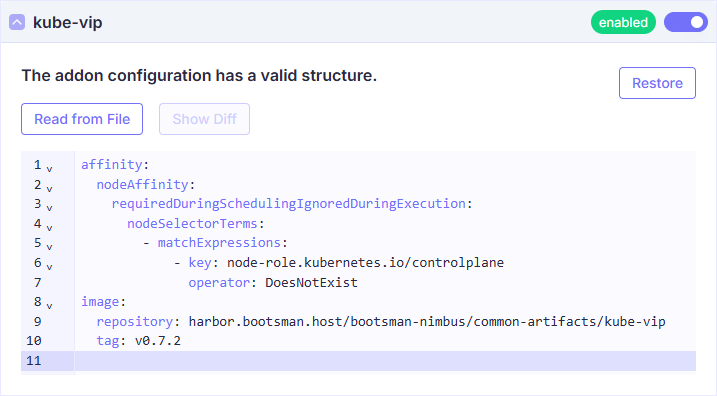
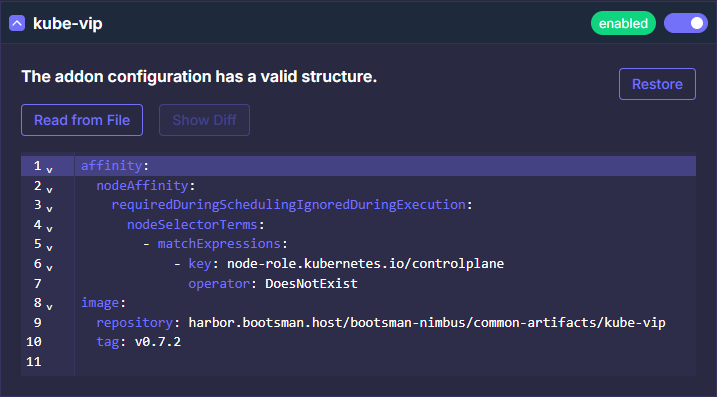
Все Values
Продвинутые настройки
Ниже представлены тонкие настройки модуля.
Используйте их для расширения конфигурации модуля, если потребуется.
Документация
Более полная документация по модулю:
Kube-vip Cloud
kube-vip Values
  values:
    image:
      repository: harbor.bootsman.host/bootsman-nimbus/common-artifacts/kube-vip
      pullPolicy: IfNotPresent
      tag: v0.7.2
    config:
      address: ""
    # Check https://kube-vip.io/docs/installation/flags/
    env:
      vip_interface: ""
      vip_arp: "true"
      lb_enable: "true"
      lb_port: "6443"
      vip_cidr: "32"
      cp_enable: "false"
      svc_enable: "true"
      svc_election: "false"
      vip_leaderelection: "false"
      # prometheus_server: ":2112"
    extraArgs: {}
      # Specify additional arguments to kube-vip
      # For example, to change the Prometheus HTTP server port, use the following:
      # prometheusHTTPServer: "0.0.0.0:2112"
    envValueFrom: {}
      # Specify environment variables using valueFrom references (EnvVarSource)
      # For example we can use the IP address of the pod itself as a unique value for the routerID
      # bgp_routerid:
      #  fieldRef:
      #    fieldPath: status.podIP
    envFrom: []
      # Specify an externally created Secret(s) or ConfigMap(s) to inject environment variables
      # For example an externally provisioned secret could contain the password for your upstream BGP router, such as
      #
      # apiVersion: v1
      # data:
      #   bgp_peers: "<address:AS:password:multihop>"
      # kind: Secret
      #   name: kube-vip
      #   namespace: kube-system
      # type: Opaque
      #
      # - secretKeyRef:
      #    name: kube-vip
    extraLabels: {}
      # Specify extra labels to be added to DaemonSet (and therefore to Pods)
    imagePullSecrets: []
    nameOverride: ""
    fullnameOverride: ""
    # Custom namespace to override the namespace for the deployed resources.
    namespaceOverride: ""
    serviceAccount:
      # Specifies whether a service account should be created
      create: true
      # Annotations to add to the service account
      annotations: {}
      # The name of the service account to use.
      # If not set and create is true, a name is generated using the fullname template
      name: ""
    podAnnotations: {}
    podSecurityContext: {}
    # fsGroup: 2000
    securityContext:
      capabilities:
        add:
          - NET_ADMIN
          - NET_RAW
        drop:
          - ALL
    resources: {}
      # We usually recommend not to specify default resources and to leave this as a conscious
      # choice for the user. This also increases chances charts run on environments with little
      # resources, such as Minikube. If you do want to specify resources, uncomment the following
      # lines, adjust them as necessary, and remove the curly braces after 'resources:'.
      # limits:
      #   cpu: 100m
      #   memory: 128Mi
      # requests:
      #   cpu: 100m
      #   memory: 128Mi
    volumes: []
      # Specify additional volumes
      #   - hostPath:
      #       path: /etc/rancher/k3s/k3s.yaml
      #       type: File
      #     name: kubeconfig
    volumeMounts: []
      # Specify additional volume mounts
      # - mountPath: /etc/kubernetes/admin.conf
      #   name: kubeconfig
    hostAliases: []
      # Specify additional host aliases
      # - hostnames:
      #     - kubernetes
      #   ip: 127.0.0.1
    nodeSelector: {}
    tolerations:
      - effect: NoSchedule
        key: node-role.kubernetes.io/control-plane
        operator: Exists
    affinity:
      nodeAffinity:
        requiredDuringSchedulingIgnoredDuringExecution:
          nodeSelectorTerms:
            - matchExpressions:
                - key: node-role.kubernetes.io/controlplane
                  operator: DoesNotExist
    podMonitor:
      enabled: false
      labels: {}
      annotations: {}
    priorityClassName: ""
Подключение модуля kube-vip Cloud Provider
Описание Yaml
Внимание!
- Описание
apiVersion: addon.bootsman.tech/v1alpha1
kind: Config
metadata:
  name: CLUSTER_NAME-kube-vip-cloud-provider
  namespace: CLUSTER_NAMESPACE
spec:
  enabled: true (1)
  values:
    cm:
      data:
        skip-end-ips-in-cidr: true
        cidr-global: '' (2)
        range-global: '' (3)
    image:
      repository: >-
        harbor.bootsman.host/bootsman-nimbus/common-artifacts/kube-vip-cloud-provider
      tag: v0.0.10
- True - включено.
False - выключено
- Блок адресов, используемый для любых Service типа LoadBalancer.
Возможно использовать несколько настроек пулов адресов
Пример:
cidr-global: 192.168.0.200/29 - Диапазон адресов, используемый для любых Service типа LoadBalancer.
Возможно использовать несколько настроек пулов адресов
Пример:
range-global: 192.168.0.210-192.168.0.219
Настройка в UI
Все Values
Продвинутые настройки
Ниже представлены тонкие настройки модуля.
Используйте их для расширения конфигурации модуля, если потребуется.
Документация
Более полная документация по модулю:
Kube-vip Cloud Providers Docs
kube-vip Cloud Provider Values
  values:
    replicasCount: 1
    image:
      repository: >-
        harbor.bootsman.host/bootsman-nimbus/common-artifacts/kube-vip-cloud-provider
      pullPolicy: IfNotPresent
      tag: v0.0.10

    # Custom namespace to override the namespace for the deployed resources.
    namespaceOverride: ""

    ## Cloud Provider ConfigMap
    ## CIDR blocks , IP ranges [start address - end address]
    ## Multiple pools by CIDR per Namespace, Multiple IP ranges per Namespace (handles overlapping ranges)

    cm:
      data:
        skip-end-ips-in-cidr: true
        cidr-global: 192.168.0.200/29
        range-global: 192.168.0.210-192.168.0.219
        cidr-namespace: 192.168.0.220/29,192.168.0.230/29
        cidr-namespace: 192.168.0.240/29

    # By default, kube-vip-cloud-provider will use a configMap automatically generated from .Values.cm.data.
    # If .Values.configMapName is defined, it will use that configMap instead, which you must create yourself.
    configMapName: ""

    resources:
      requests:
        cpu: 50m
        memory: 64Mi
      limits:
        cpu: 100m
        memory: 128Mi

    # Node selector allows you to constrain a Pod to be scheduled on nodes with specific labels.
    # If specified, the nodeSelector will be applied alongside the defined affinity rules.
    # If left empty, the nodeSelector will not be applied, and the Pod can be scheduled on any node.

    # nodeSelector:
    #   disktype: ssd
    #   nodepool: system
    #   critical-addons-only: "true"

    nodeSelector: {}

    tolerations:
      - key: node-role.kubernetes.io/master
        effect: NoSchedule
      - key: node-role.kubernetes.io/control-plane
        effect: NoSchedule

    affinity:
      nodeAffinity:
        preferredDuringSchedulingIgnoredDuringExecution:
          - weight: 10
            preference:
              matchExpressions:
                - key: node-role.kubernetes.io/control-plane
                  operator: Exists
          - weight: 10
            preference:
              matchExpressions:
                - key: node-role.kubernetes.io/master
                  operator: Exists

    priorityClassName: ""